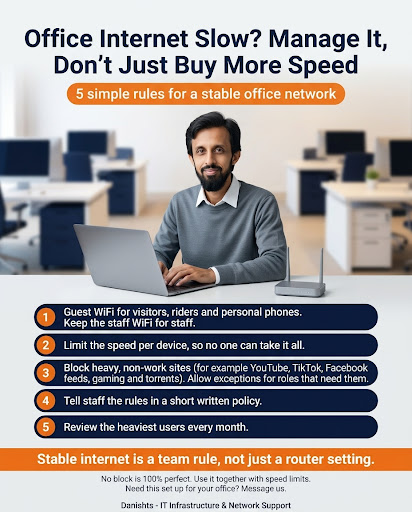
When the office internet is slow, the first idea is often to buy a faster plan. But if a few devices or a few habits use most of the speed, a bigger plan only fills up again. Manage how the internet is used first. These 5 rules help.
1. Guest WiFi for visitors, riders and personal phones
Keep the staff WiFi for staff. Put visitors, delivery riders and personal phones on a separate guest network.
2. Limit the speed per device
Set a speed limit for each device, so no one can take it all. Many business routers have this setting.
3. Block heavy, non-work sites
Block heavy sites that are not needed for work, for example YouTube, TikTok, Facebook feeds, gaming and torrents. Allow exceptions for roles that need them, such as a social media team.
4. Tell staff the rules in a short written policy
People follow rules they know. One page is enough: what is allowed, what is blocked and why.
5. Review the heaviest users every month
Check which devices use the most data. A monthly look catches problems before they slow everyone down.
Also read what should stay on LAN and what can use WiFi and the 6 IT rules for a secure office network.
Common questions
Why is my office internet slow even with a fast plan?
A few devices or habits, such as video streaming, downloads or personal phones, can use most of the speed. Managing use often helps more than buying a bigger plan.
What is guest WiFi and why use it?
It is a separate WiFi network for visitors, riders and personal phones. It keeps the staff network for staff, so work devices stay fast and safer.
How do I limit internet speed per device?
Many business routers let you set a speed limit for each device or group. Check your router settings or ask your IT person to set it up.
Can I block YouTube and TikTok in the office?
Yes, many routers and firewalls can block them. Allow exceptions for roles that need them. No block is 100% perfect, so use it together with speed limits.
How often should I review internet usage?
Once a month is a good routine. Look at the heaviest users and adjust the rules if needed.
Where I can help
I set up office networks, guest WiFi, speed limits and dual-WAN load balancing in Karachi, on-site or remotely. See my IT networking and infrastructure services.