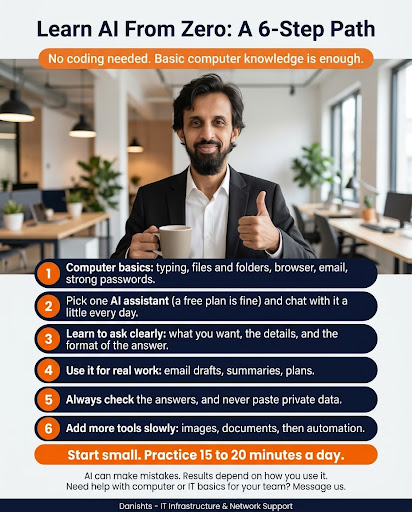
You do not need to code to learn AI. If you can type, use a browser and send an email, you can start. Follow these 6 steps in order.
1. Computer basics
Typing, files and folders, browser, email and strong passwords. These make everything else easier and safer.
2. Pick one AI assistant
Choose one AI assistant (a free plan is fine) and chat with it a little every day. Do not try many tools at once.
3. Learn to ask clearly
A good request has three parts: what you want, the details and the format of the answer. For example: "Write a short, polite email to a customer about a late delivery. Keep it under 100 words."
4. Use it for real work
Try email drafts, summaries and plans. Real tasks teach you faster than practice questions.
5. Always check the answers, and never paste private data
AI can make mistakes. Read every answer before you use it, and do not paste passwords, customer details or confidential files.
6. Add more tools slowly
When the basics feel easy, try images, documents and then automation, one at a time.
Not sure why this matters? Read how AI is changing jobs. When you are ready for the next step, see AI automation basics for your business.
Common questions
Do I need coding to learn AI?
No. Basic computer knowledge is enough to start.
Which AI tool should a beginner start with?
Pick one AI assistant with a free plan and use it every day. Learn one tool well before you try others.
How long does it take to learn AI basics?
It depends on you. Practicing 15 to 20 minutes a day is a good, steady way to start.
How do I write a good AI request?
Say what you want, give the details and say what format you need, such as a short email or a list of five points.
Is it safe to paste private data into AI?
No. Never paste passwords, customer details or confidential documents, and always check the answers.
Where I can help
I help teams and offices in Karachi with computers, internet and IT basics, on-site or remotely. See my IT networking and infrastructure services.