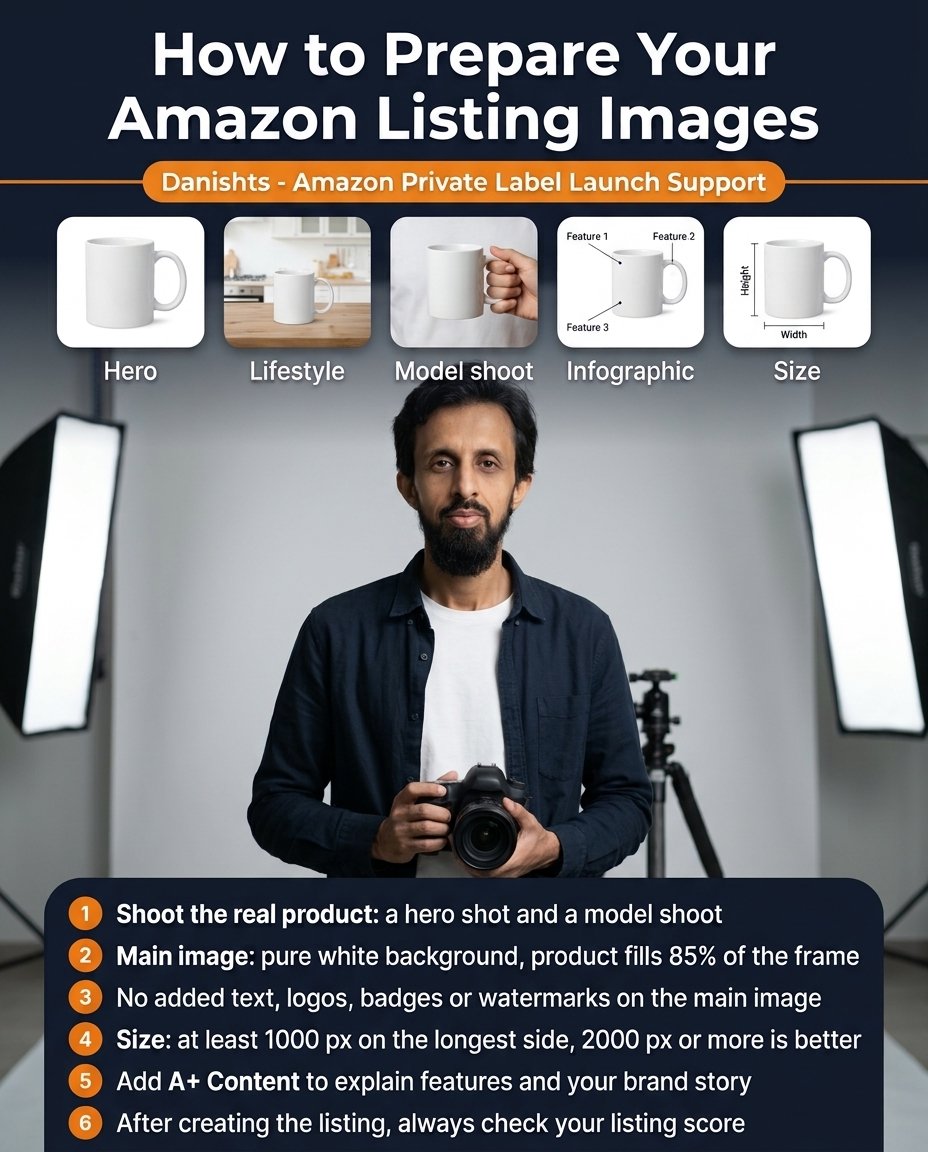
Buyers on Amazon cannot touch the product, so your images do most of the selling. Amazon also has strict rules for the main image, and a listing with a wrong main image can be suppressed. Here is how to prepare your Amazon listing images step by step.
The 5 image types every listing needs
- Hero (main image): the product alone on a pure white background. This is what shoppers see in search results.
- Lifestyle: the product in a real place, such as a mug on a kitchen counter. It helps buyers imagine using it.
- Model shoot: a person holding or using the product. It shows real size and how it is used.
- Infographic: the product with short labels for its main features (Feature 1, 2, 3). Text is allowed here, not on the main image.
- Size image: height, width and dimensions shown clearly, so buyers do not guess and return the item.
6 steps to prepare your images
- Shoot the real product. Take a hero shot and a model shoot of the actual item, not drawings or mock-ups.
- Main image: pure white background, and the product fills about 85% of the frame.
- No added text, logos, badges or watermarks on the main image.
- Size and file: at least 1000 px on the longest side so zoom works. 2000 px or more is better. Use JPEG (PNG and TIFF are also accepted), sRGB colour, and keep each file under 10 MB.
- Add A+ Content to explain features and your brand story. A+ Content needs Brand Registry.
- After creating the listing, check your listing score (listing quality) and fix what is missing.
Common image mistakes
- Background is light grey or not pure white on the main image.
- Product is too small in the frame.
- Text, badges or logos added to the main image.
- Low-resolution photos that cannot zoom.
- Only one or two images, with no infographic or size image.
Good images work together with a good title, keywords and PPC. See the 7 steps from research to launch and why every launch needs a PPC plan.
Common questions
What size should Amazon product images be?
At least 1000 pixels on the longest side so the zoom feature works. 2000 pixels or more is recommended.
Does the Amazon main image need a white background?
Yes. The main image should have a pure white background, and the product should fill about 85% of the frame.
Can I put text or a logo on the main image?
No. Keep text, logos, badges and watermarks off the main image. Use infographic images in the other slots for text.
What is A+ Content?
A+ Content is extra images and text on your listing that explain features and your brand story. It is available to sellers with Brand Registry.
Why can't buyers zoom into my Amazon image?
Amazon may accept a small image (for example 500 px), but images below 1000 px on the longest side do not support zoom. Upload larger images so buyers can zoom in and see details.
What file format is best for Amazon product images?
JPEG is the usual choice. PNG and TIFF are also accepted. Use sRGB colour and keep each file under 10 MB. Always confirm the current limits in Seller Central for your category.
Where I can help
I help Amazon Private Label sellers with listing optimization, image planning and launch support. See my Amazon Private Label services.